| Reference Number: AA-00729 Last Updated: 2024-05-29 11:22 |
Why would I need to display and use the Students tab?
If you are using student Single Sign On or creating assignment Deep Links, you do not need to manually link your students. Students will automatically be linked when they use Single Sign On or an assignment Deep Link.
If you are not using student Single Sign On, but you want to sync grades, have temp codes sent to your students in bulk, and/or auto enroll students into the correct Hawkes section you will need to use this feature.
Additionally, if a student creates an account directly through Hawkes (and not Single Sign On), they will not be linked to the D2L course. In this scenario, use the Students tab to link the existing student account in Hawkes to the student account in D2L/Brightspace.
How to Display and Use the Student Tab
1. Select your course in D2L/Brightspace, then open the Hawkes Sync Tool.
2. Select Setup in the top right-hand corner, and enter your Hawkes Instructor credentials.
- If you're accessing the Hawkes Sync Tool for the first time in a course, you'll be prompted to enter your Hawkes Instructor credentials immediately after opening the tool.
3. Select the checkbox option for "Show Students page" at the bottom of the list of sections.
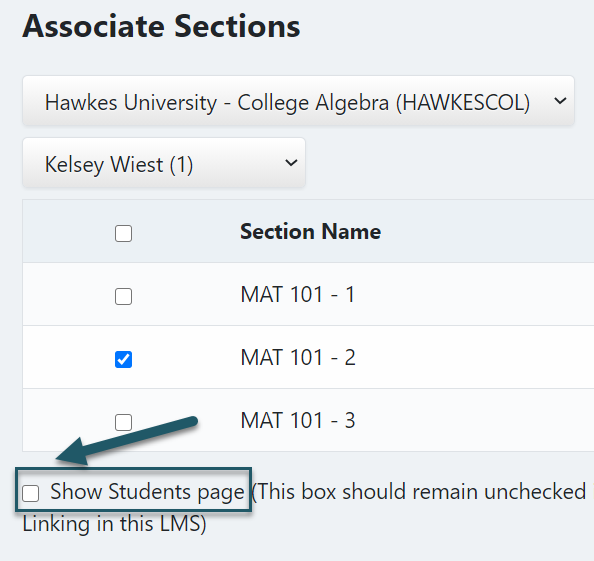
4. Select Continue.
5. Any D2L/Brightspace students that are not linked to Hawkes will be displayed as unlinked. Select these students and select Link to match them with their existing Hawkes Access Code or send a temporary Access Code if they do not yet have access to Hawkes.
- You must wait until the section start date to create temporary Access Codes through the Hawkes Sync Tool. Otherwise, the codes will not be generated and sent to your students.
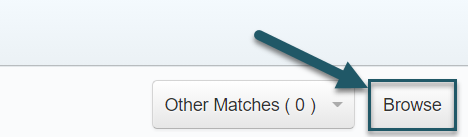
- Most often, if a student already has an Access Code enrolled in your Hawkes Course, a matching student will be displayed in the "Recommended Hawkes Student" column. If a matching student is not displayed, but the student already has an Access Code enrolled in your Hawkes Course, select Browse and select the student's name.